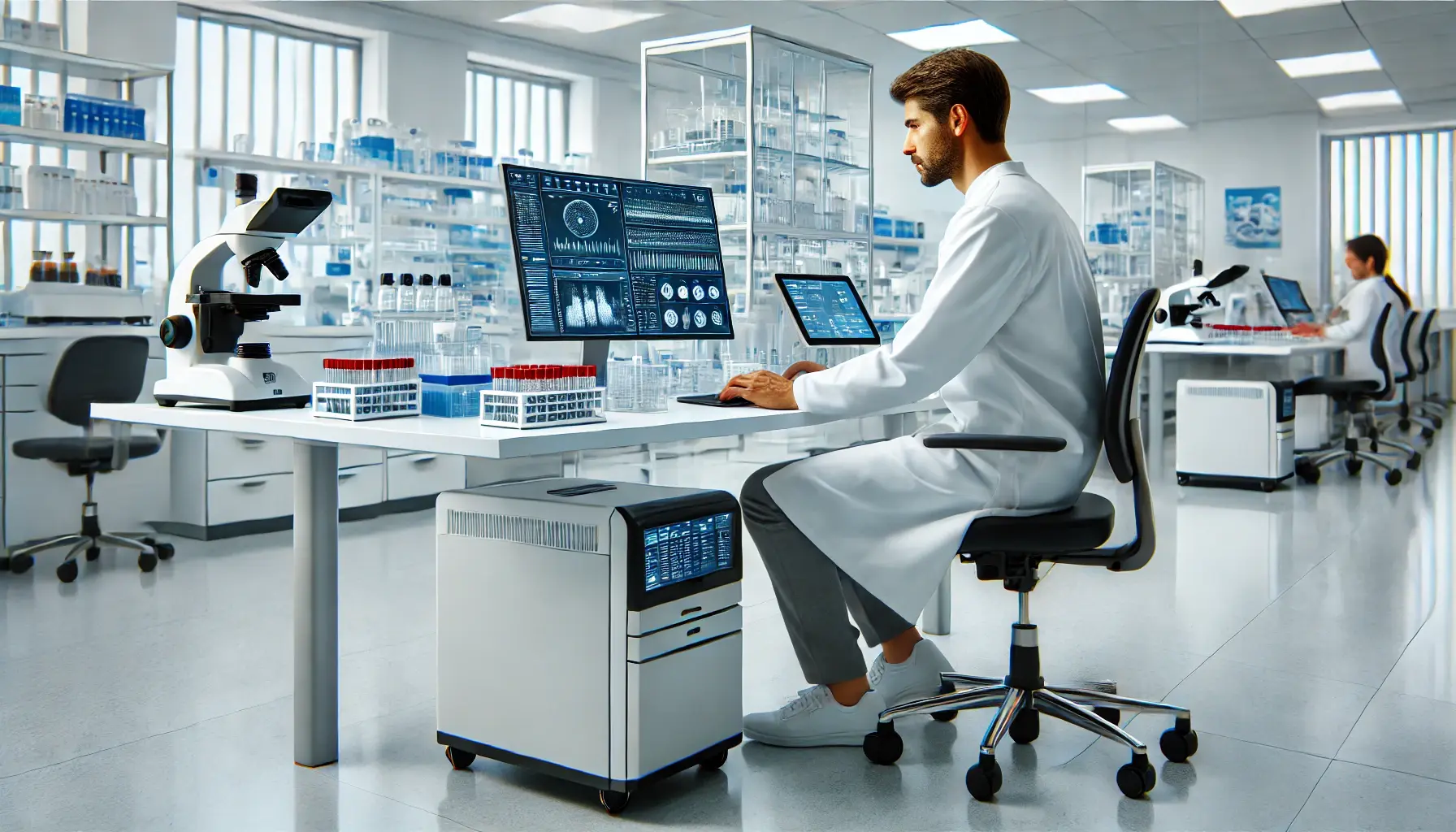
Implementing a LIMS (Laboratory Information Management System) is a strategic digital transformation project that can radically change the way a laboratory manages data, processes, and resources. It's not just about implementing new software - it's a comprehensive organizational change requiring the engagement of the entire team, precise planning, and a systematic approach. Properly executed implementation brings measurable benefits: reduced testing turnaround time, error elimination, full compliance with ISO 17025 standards, and significant reduction in operational costs.
Why Implement a LIMS System?
Modern laboratories operate in a demanding environment where the number of samples grows exponentially, analytical procedures become increasingly complex, and accreditation and regulatory requirements are constantly tightened. Traditional management methods based on spreadsheets and paper documents are no longer sufficient, leading to errors, delays, and audit problems. A LIMS system offers a comprehensive solution to these challenges through digitization and automation of key laboratory processes.
Process Automation
Elimination of manual data entry, automatic calculations and validations, minimization of human errors. The system automatically guides samples through successive testing stages.
Sample Tracking
Complete control over sample flow in the laboratory through barcode or QR code systems. Each sample is monitored in real-time from receipt to result release.
Data Management
Centralized, secure storage of all test results, protocols, and documentation. Quick access to historical data, advanced searching, and trend analysis.
Standards Compliance
Automatic support for ISO 17025, GLP, GMP, and other standards. The system enforces procedure compliance and generates complete audit documentation.
Advanced Reporting
Automatic generation of test reports, certificates, and statements according to templates. Data export in various formats, capability to create custom reports.
Device Integration
Direct retrieval of results from chromatographs, spectrometers, and other analytical instruments. Automatic verification of measurement data correctness.
Financial Benefits of LIMS Implementation:
Laboratories that have implemented LIMS systems report an average 30-40% reduction in test completion time, 60% decrease in documentation errors, and 25% increase in laboratory throughput with the same human resources. Return on investment (ROI) typically occurs within 12-24 months of full system deployment.
7 Stages of LIMS Implementation
The LIMS implementation process can be divided into seven key stages that follow each other in a logical sequence. Each stage is essential for the project's success and requires thorough execution before proceeding to the next phase.
Stage 1: Needs Analysis and Planning
The first stage of implementation is the foundation of the entire project. This is the moment when we define strategic goals, identify problems to solve, and establish success criteria. Mistakes made at this stage can result in selecting the wrong system, exceeding budget, or end-user dissatisfaction. Therefore, this stage requires the greatest attention and engagement from all project stakeholders.
Conducting Laboratory Process Audit
Detailed mapping of all laboratory processes is the starting point for defining requirements. It's necessary to analyze the entire sample path - from the moment of order receipt, through test execution, to result delivery to the client. The key is identifying bottlenecks, error-prone points, and manually performed processes that can be automated. The audit should also include document flows, quality management procedures, and data archiving requirements.
Defining Functional Requirements
Based on the process audit, we create a detailed list of functional and non-functional requirements. Functional requirements specify what the system must do (e.g., "the system must enable sample registration with barcode"), while non-functional requirements relate to how the system should operate (e.g., "the system must support 50 concurrent users without performance degradation"). The requirements list should be prioritized - we distinguish mandatory requirements (must-have), desired requirements (should-have), and optional requirements (nice-to-have).
Determining Budget and Timeline
Realistic estimation of costs and implementation time is crucial for project success. The budget should include not only software license costs but also implementation costs, training, integration with existing systems, data migration, and technical support. A financial buffer should also be reserved (typically 15-20% of the budget) for unforeseen expenses. The implementation timeline should be divided into specific milestones with assigned responsible persons and deadlines.
💡 Expert Tip
Involve representatives from all user groups in the planning process: laboratory analysts, quality managers, administration, IT, and management. Organize workshops enabling experience exchange and consensus building on implementation goals. This is when you build acceptance for change and identify potential system "ambassadors" who will support implementation among colleagues.
Stage 2: Selecting the Right System
Choosing a LIMS system is a strategic decision that will impact laboratory operations for many years. Dozens of solutions are available on the market - from universal systems from global vendors, through dedicated systems for specific industries (e.g., environmental, diagnostics, food industry), to No-Code platforms enabling self-configuration. The selection process should be organized and objective, based on previously defined criteria and requirements.
Functionality
Does the system cover all defined mandatory requirements? Check sample management, test planning, quality control, reporting, and device integration functions.
Scalability
Ability to expand with laboratory growth - more users, samples, locations. The system must grow with your organization without requiring replacement.
Integration
Ease of connection with existing systems: ERP, CRM, accounting systems, analytical devices. APIs and communication standards (HL7, XML, REST).
Technical Support
Quality, availability, and language of technical support. Response time to requests, update availability, user community activity, technical documentation.
Total Cost of Ownership
TCO (Total Cost of Ownership) includes not just purchase but also implementation, training, maintenance, updates, hosting, and system development throughout its lifecycle.
Vendor Stability
Company history, number of implementations, customer references, financial stability, product roadmap. Will the vendor support the system in 5-10 years?
No-Code Systems - The Future of LIMS
Recent years have brought a revolution in the form of No-Code and Low-Code platforms, which democratize access to advanced LIMS systems. Systems like CleverLAB enable configuration of laboratory processes through an intuitive graphical interface, without the need for programming code. Business users can independently define data structures, workflows, forms, and reports, which radically shortens implementation time and reduces costs. Moreover, No-Code systems are inherently more flexible - adapting to changing laboratory needs doesn't require engaging external programmers.
| Aspect | Traditional LIMS | No-Code LIMS |
|---|---|---|
| Implementation Time | 6-18 months | 2-8 weeks |
| Implementation Cost | High (programmers, consultants) | Low (self-configuration) |
| Flexibility | Limited, requires programming | High, real-time changes |
| Maintenance | Requires IT support | Self-managed by users |
| Updates | Risk of losing customization | Seamless, configuration preserved |
How to Conduct the System Selection Process?
Create an evaluation matrix with criteria and weights. Request presentations and demonstrations from vendors using your actual data. Conduct Proof of Concept (PoC) tests for 2-3 finalists. Visit laboratories already using the systems under consideration. Check reviews in industry forums and discussion groups. Analyze the license agreement and support terms.
Stage 3: Infrastructure Preparation
Proper technical infrastructure is the foundation of stable LIMS system operation. Adequate computing power, disk space, network bandwidth, and security and high-availability mechanisms must be ensured. Modern LIMS systems can be deployed in various models: on-premise (on own servers), in the cloud (SaaS), or in a hybrid model. Each model has its advantages and disadvantages that should be considered in the context of laboratory specifics.
IT Infrastructure - Technical Requirements
Servers and Data Storage
Application servers, database servers, storage systems with adequate capacity and speed. For on-premise deployments: redundancy, clustering, load balancing.
Computer Network
Network infrastructure with adequate bandwidth (minimum 1 Gbps in LAN). Wireless network for mobile devices. Network segmentation for security.
Security and Backup
Firewall, intrusion detection systems (IDS/IPS), automatic backups with data recovery capability. Encryption of data at rest and in transit.
Workstations
User computers with appropriate specifications (RAM, processor, monitors). Label and barcode printers. QR code scanners and RFID readers.
Power and Climate Control
UPS systems (emergency power) for operational continuity. Adequate server room air conditioning. Monitoring of environmental parameters (temperature, humidity).
Cloud vs. On-Premise
Cloud solutions eliminate infrastructure costs and ensure automatic updates. On-premise provides full data control and vendor independence.
Integration with Analytical Devices
A key advantage of a LIMS system is the ability to automatically retrieve results directly from measuring devices, which eliminates manual data transcription and associated errors. Integration with chromatographs, spectrometers, analyzers, analytical balances, and other instruments occurs through standard communication protocols (RS-232, TCP/IP, LIMS/LIS protocols) or intermediate files in XML, CSV, or manufacturer-specific data formats. Properly configured integration automatically verifies data correctness, assigns it to appropriate samples and tests, and checks compliance with acceptance criteria.
Technical Notice:
Before purchasing new analytical devices, ensure they are compatible with the selected LIMS system. Some older instruments may require additional interfaces or middleware software. Also consider integration module license costs - some LIMS vendors charge fees for each type of integrated device.
Stage 4: Data Migration
Data migration is one of the most critical and risky stages of LIMS implementation. Errors made during migration can result in loss of valuable historical data, audit problems, or the need for time-consuming manual correction. The migration process requires particular care, thorough testing, and should always be carried out according to the "measure twice, cut once" principle - multiple checks before final execution. Having a complete backup of original data and the ability to quickly return to the pre-migration state in case of problems is also crucial.
What Should Be Migrated? Comprehensive List of Laboratory Data
The data migration process requires first identifying and organizing all information categories that must be transferred to the new system. Below is a detailed list of key data areas with explanations of why each is important:
🔬 List of Test Methods with Parameters
Each test method used in the laboratory must be precisely defined in the LIMS system with a complete set of parameters: reference standards (e.g., PN-EN, ISO, ASTM), measurement range, units of measure, measurement uncertainty, result acceptance criteria, and calculation procedures. Methods should be linked to appropriate equipment, reagents, and authorized personnel. Proper method configuration ensures result consistency and compliance with accreditation requirements. Method change history should also be included - the system must enable comparison of results obtained with different versions of the same method.
⚗️ List of Measuring Equipment
Complete registry of all devices, instruments, and laboratory equipment used for testing. For each device, the system must store: inventory number, manufacturer and model, serial number, purchase and commissioning date, location, status (operational/non-operational), calibration and maintenance schedule, repair and service history, and calibration certificates. This data is crucial for ensuring measurement traceability and meeting ISO 17025 requirements. The LIMS system should automatically block assignment of samples to equipment whose calibration has expired.
👥 Personnel List with Authorizations and Qualifications
Database of all laboratory staff with assigned authorizations for performing specific tests, operating equipment, and authorizing documents. The system must store information about completed training, competency certificates, document signing authorizations, and each employee's activity history. This is crucial for ensuring that tests are performed only by appropriately qualified persons, as required by accreditation standards. Additionally, the system should store specimen signatures of persons authorized to authorize documents and authorization change history.
💵 Price Lists and Service Catalogs
Detailed price lists of all tests and services offered by the laboratory, including different customer types (regular contractors, one-time clients, public orders), discounts, promotions, and test packages. The system must enable automatic order cost calculation based on current price lists and generation of invoices and debit notes. Price list change history is also important - the system should enable finding the price valid at the time of order placement, which is important for long-term contract settlements. The service catalog should also contain information about turnaround time, accreditation scope, and required information from clients.
📦 Test Package List
Many laboratories offer predefined test sets (packages) matching typical client needs, e.g., "Drinking Water Test - Basic Scope," "Soil Analysis - Heavy Metals," "Food Testing - Pesticides." Each package is a set of related test methods with a common price, turnaround time, and report template. The LIMS system should enable easy package ordering by clients and automatic generation of orders for all tests included in the package. Packages significantly accelerate handling of repetitive orders and reduce error risk when accepting samples.
🏢 Client and Contractor List
Complete client database with contact information (company name or personal name, address, tax ID, email, phone), billing data, contact persons, and cooperation history. The system should store information about client preferences regarding result delivery form (email, mail, personal pickup), required report formats, special agreements regarding turnaround times or discounts. Advanced LIMS systems also offer a client portal through which contractors can independently place orders, track sample status, and download test results, which significantly reduces laboratory administrative burden.
📄 Report Template List
Templates for test protocols, certificates, reports, and other documents issued by the laboratory. Templates must comply with standard requirements (e.g., ISO 17025 specifies minimum test protocol content), contain all required identification elements (logo, accreditation data, registration numbers), and be properly formatted. The LIMS system should enable creating different template versions for different test types, clients, or regulatory requirements. The ability to generate reports in different languages for foreign clients and export to PDF, Word, or Excel formats is also important.
⚙️ Technical Conditions List
Environmental and technical parameters that must be met during specific tests: required temperature and humidity in the measurement room, sample acclimatization time, reagent storage conditions, equipment calibration parameters. The LIMS system should automatically check whether technical conditions were met at the time of testing (e.g., through integration with temperature and humidity sensors) and block result acceptance in case of deviations from required parameters. This is a crucial element of measurement quality assurance and compliance with accreditation procedures.
🎯 Tested Object/Product List
Catalog of sample types and materials tested by the laboratory with assigned standard sampling, preparation, and testing methods. Examples: drinking water, industrial wastewater, agricultural soil, food (subdivided into categories), construction materials, atmospheric air. For each object type, the system should define required information upon sample receipt (e.g., for water: source, sampling date and location, sampler), storage method, sample expiration date, and typical test sets. Proper classification of tested objects streamlines sample reception, ensures information completeness, and facilitates later historical data searches.
Step-by-Step Migration Process
- Audit and Cleaning of Source Data: Before migration, conduct a thorough quality audit of data in old systems. Identify and remove duplicates, correct errors, fill in missing information. This is the best time to "clean up" data - transferring erroneous data to the new system only deepens problems.
- Data Structure Mapping: Create a detailed correspondence map between data structure in the old and new system. Determine how each field in the old system translates to the corresponding field in LIMS. Identify data without direct equivalents and decide how to transform or place it.
- Migration Script Preparation: Develop automatic procedures (scripts) for extracting data from old systems, transforming according to the prepared mapping, and loading into the new LIMS. Scripts should include validation mechanisms and error reporting.
- Test Migration: Perform trial migration on data copies to a test LIMS instance. Thoroughly verify data transfer correctness - compare record counts, check sample data, test functionalities. Fix identified errors and repeat test migration until 100% correctness is achieved.
- Production Migration: After successful test completion, perform final migration to the production instance. Migration is best done on weekends or when the laboratory is not working. Immediately after migration, perform correctness control on a sample of representative data.
- Verification and Acceptance: Ask key users to check their data in the new system. Prepare a checklist of elements to verify. Obtain formal confirmation of migration acceptance before shutting down old systems.
Golden Migration Rule:
Never delete or shut down old systems immediately after migration! Keep them in "read-only" mode for at least 3-6 months as a safeguard in case data verification or finding information that wasn't properly migrated is necessary. Also plan parallel operation of both systems during the transition period - this gives users time to familiarize themselves with the new LIMS without risk of losing work capability.
Stage 5: Team Training
The best LIMS system is useless if users can't use it or - worse - resist using it. A comprehensive training program is an investment that directly translates to implementation success. Studies show that laboratories that conducted thorough training achieve full productivity in the new system 2-3 times faster than those that neglected this stage. Training should be tailored to the knowledge level and role of different user groups and conducted in both theoretical and practical formats using real work scenarios.
Training Program for Different User Roles
Laboratory Analysts
Sample registration, maintaining test journals, entering results, handling device integration, quality control of results. Practical on-the-job training.
Sample Reception Staff
Operating reception module, generating labels and barcodes, checking order completeness, client communication through portal. Practice on typical scenarios.
Quality Managers
Methodology management, result quality control, procedure compliance auditing, generating quality reports, managing deviations and corrective actions.
Laboratory Management
Authorizing results and reports, electronic signatures, KPI review, laboratory performance analysis, resource planning, administrative functions.
IT Administrators
System configuration, user and permission management, device integration, backup and recovery, performance monitoring, technical troubleshooting.
Administrative Staff
Operating client and contractor module, issuing invoices, generating financial reports, document archiving, correspondence handling.
Training Methods and Tools
Effective training requires using various teaching methods adapted to participants' learning styles. Theoretical introduction should be combined with intensive practical work in the system. Training should occur in small groups (maximum 8-10 people) so each participant has the opportunity for active practice and asking questions. It's worth preparing a test environment with anonymized real data where users can safely experiment without fear of damaging production data.
Training Materials and Support:
Prepare a complete training materials package: step-by-step instructions with screenshots, short videos showing key operations, FAQ with answers to most common questions, quick tips and shortcuts. Materials should be available on the intranet or internal wiki so users can return to them in case of doubts. Designate "super-users" (power users) in each department who will undergo advanced training and be the first point of contact for colleagues needing help.
Stage 6: Testing and Pilot Launch
The testing phase is the last chance to identify and fix problems before production launch. The more time and attention you devote to testing, the smoother the production start will be and the fewer problems you'll experience in the first weeks of operation. Testing should be systematic and comprehensive, covering all system functionalities, all use scenarios, and all user roles. You can't settle for simple "clicking a few buttons" - tests must simulate real, often complex laboratory processes.
Types of Tests to Conduct
Functional Tests
Verification that all system functions work according to requirements: sample registration, result entry, report generation, calculations, validations, notifications.
Integration Tests
Checking correct communication with analytical devices, ERP systems, client portal, email systems, label printers. Testing data flow between systems.
Performance Tests
Assessment of system speed under various loads: single user, multiple concurrent users, large data volumes. Identification of performance bottlenecks.
Security Tests
Verification of user permissions, testing authentication mechanisms, unauthorized access attempts, checking audit logs, encryption testing.
User Acceptance Testing (UAT)
Tests conducted by future end users on real work scenarios. Verification that the system meets expectations and is intuitive to use.
Regression Tests
After each change or fix - checking that it didn't break previously working functions. Automation of regression tests significantly speeds up the process.
Pilot Launch
The pilot is a limited-scope system implementation - typically in one department, for one test type, or with participation of a selected user group - allowing testing the system in production conditions without risk to the entire laboratory. This is the moment of verifying theory in practice: do processes defined "on paper" actually work in reality? Can users work efficiently in the system? Are device integrations stable? Is system performance satisfactory under real load?
The pilot should last long enough (typically 2-4 weeks) for participants to go through a complete work cycle - from sample receipt, through test execution, to result delivery to the client. During this time, systematically collect feedback from users, document all problems and improvement ideas, monitor performance indicators. Based on pilot experience, implement necessary corrections and optimizations before full deployment.
Common Pilot Phase Pitfalls:
- Too short pilot duration - not all problems are revealed
- Too small user group - lack of experience representativeness
- Lack of systematic feedback collection - you lose valuable information
- Too early expansion to entire laboratory - problems multiply
- Ignoring warning signals - "it'll work out somehow" rarely works
Stage 7: Full Deployment and Optimization
After successful completion of the pilot phase and implementation of all necessary corrections, the time comes for production launch for the entire laboratory. This is a key moment in the project, requiring careful planning and coordination. Production launch should occur under controlled conditions, preferably during a period of lower laboratory load (e.g., beginning of the week, avoiding peak periods like month-end). Prepare a detailed communication plan informing all stakeholders about the new system transition date and available support channels.
Production Launch Strategies
| Strategy | Description | Advantages | Disadvantages |
|---|---|---|---|
| Big Bang | Simultaneous transition of entire laboratory to new system on specific day | Fast, no need to maintain two systems in parallel | High risk, high stress, no rollback option |
| Phased Deployment | Gradual system expansion to successive departments/laboratories | Controlled risk, ability to learn from mistakes | Longer implementation time, need for system integration |
| Parallel Operation | For specific time, laboratory works in parallel on old and new system | Maximum safety, ability to verify results | Double work, high staff burden, expensive |
Key Activities in Production Phase
- Support in First Week: Ensure enhanced technical support in the first days after launch - ideally presence of consultants/trainers on-site at the laboratory. Quick problem response in this critical period builds user trust in the system.
- Monitoring Key Indicators: Track KPIs such as: sample registration time, order completion time, number of errors, user satisfaction, helpdesk ticket count. Compare with pre-implementation values.
- Regular Team Meetings: Organize daily short meetings (stand-ups) in the first week, then weekly for the first month. Discuss problems, share best practices, collect feedback.
- Process Optimization: Based on real-world experience, identify areas for improvement. It may turn out that some workflows need modification, automations added, or permissions changed.
- Functionality Expansion: After stabilizing basic functions, implement additional modules and advanced functionalities: client portal, advanced analytics, integrations with additional devices.
- Post-Implementation Audit: After 3 months, conduct formal implementation audit - assess whether intended goals were achieved, identify lessons learned for the future, document best practices.
Measure Implementation Effectiveness:
Define specific, measurable success indicators (KPIs) before implementation and systematically monitor them after launch. Examples: average order completion time (should decrease by X%), number of documentation errors (reduction by Y%), customer satisfaction (increase by Z points on scale), laboratory throughput (samples per analyst per day), ROI (return on investment). Visualize indicators on dashboards available to management.
Best Practices and Key Success Factors
Management Engagement
Visible, active support from laboratory management is crucial. Management must not only provide resources but also personally promote implementation, use the system, and be a role model for the team.
Transparent Communication
Regularly inform the team about implementation progress, encountered challenges, and planned steps. Communicate system benefits. Give space to express concerns and questions. Listen to feedback.
Investment in Training
Don't skimp on training - it's the best investment in implementation success. Well-trained users are productive, satisfied, and become system ambassadors for others.
Change Management
LIMS implementation is primarily organizational change. Apply change management methodologies: identify resistance, work with doubts, celebrate small successes, reward adaptation.
Iterative Approach
Better to implement 80% of functionality well than 100% poorly. Start with core functions, stabilize them, then expand the system with additional modules. Iterate and optimize.
Documentation and Procedures
Update laboratory procedures to reflect new processes in the LIMS system. Document system configuration, design decisions, custom solutions. This facilitates future changes.
Common LIMS Implementation Pitfalls and How to Avoid Them
Most Common LIMS Implementation Mistakes:
- Underestimating Complexity: LIMS implementation is not just an IT project, it's a business transformation requiring time and resources
- Ignoring User Input: A system designed without future user participation meets with resistance and low adoption
- Overcomplicating the System: Excessive customization leads to maintenance, update, and performance problems
- Insufficient Training: Users unfamiliar with the system will circumvent it or use it incorrectly
- Lack of Data Migration Plan: Poorly migrated data is a problem that will haunt you for years
- Too Fast Pace: Forcing deadlines leads to skipping key stages and future problems
- Lack of Post-Implementation Support: The system requires continuous care, optimization, and development
Post-Implementation Support and Continuous Development
LIMS system implementation is not the end of the project - it's the beginning of a new era in laboratory operations. The system requires continuous care, monitoring, optimization, and development. Laboratories that treat LIMS as a "living organism" requiring attention achieve much better results than those that leave the system to itself after implementation. Plan regular system reviews, updates, functionality extensions, and training for new employees.
Summary
LIMS system implementation is a comprehensive digital transformation project requiring engagement of the entire organization, careful planning, and systematic execution. The key to success is treating implementation not as an IT project but as a strategic organizational change that radically transforms the way the laboratory works. Laboratories that approach implementation holistically - caring for both technical and human aspects - achieve spectacular results: reduced testing time, error elimination, increased throughput, and full compliance with accreditation requirements.
Key Takeaways - Recipe for Success:
- Dedicate time to thorough needs analysis and requirements definition - this is the project foundation
- Choose a system adapted to your laboratory specifics, not the other way around
- Consider No-Code platforms for greater flexibility and lower implementation costs
- Treat data migration as a critical stage requiring particular care
- Invest in comprehensive training tailored to different user roles
- Conduct thorough testing and pilot launch before full deployment
- Ensure strong support in the first weeks after production launch
- Monitor success indicators and systematically optimize the system
- Remember that implementation is a continuous process - the system requires development and adaptation
No-Code systems, such as CleverLAB, are revolutionizing LIMS implementation, shortening implementation time from months to weeks and radically reducing costs. Thanks to intuitive visual configuration, laboratories can independently adapt the system to their changing needs without engaging programmers. This democratizes access to advanced laboratory technologies, making professional LIMS systems accessible to laboratories of all sizes - from small independent units to large laboratory networks.
If you're planning LIMS implementation in your laboratory and need expert support at any stage - from needs analysis, through system selection, to training and optimization - contact us. We'll help you go through the entire implementation process smoothly and safely.